Quick Reference
Use When
- You want a stable "front door" API to a complex subsystem
- Clients should not need to know internal dependencies
- You need to centralize initialization and coordination logic
- Multiple clients would otherwise duplicate subsystem orchestration
Avoid When
- Clients truly need fine-grained control over subsystems
- The "facade" is becoming a god object with business logic
- You are wrapping a single class (that is just a Proxy/Wrapper)
- The simplification hides options clients legitimately need
The Analogy
A TV remote control: you press "power" and the TV handles turning on the screen, loading the OS, connecting to wifi, and displaying a picture. You do not need to understand or control each subsystem individually.
The Problem
You have a complex library or system with many classes and interfaces. Clients must understand and interact with many components, which means every caller duplicates the same setup and coordination logic.
The Solution
Provide a unified interface to a set of interfaces in a subsystem. The facade delegates to the appropriate subsystem objects so clients don't have to.
Structure
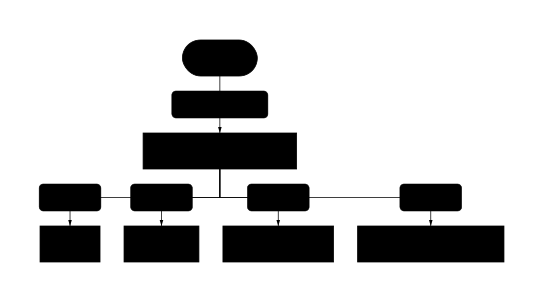
Shows the static relationships between classes in the pattern.
Pattern Variants
Simple Facade
A single class that provides a unified interface to a subsystem. The most common form—just delegation, no business logic.
Stateful Facade
Facade that maintains state across calls (e.g., connection pooling, session management). Manages subsystem lifecycle.
Multiple Facades
Split facades by client need: AdminFacade vs UserFacade, or by workflow: GameBootFacade vs SaveLoadFacade. Prevents god object.
Implementations
Copy-paste examples in Python, JavaScript, and GDScript. Each includes validation and Director patterns.
# ===== BEFORE: Client coordinates multiple subsystems =====
# Every caller must know about all three services and their order

from analytics_service import AnalyticsService
from email_service import EmailService
from database import UserRepository

def signup_user_without_facade(email: str, password: str):
    # Client must know all dependencies and coordinate them
    user_repo = UserRepository()
    analytics = AnalyticsService()
    email_svc = EmailService()

    user = user_repo.create(email, password)
    analytics.track("user_signup", {"user_id": user.id})
    email_svc.send_welcome(user.email)
    return user

# ===== AFTER: Facade handles coordination =====

class UserService:
    """Facade for user operations. Coordinates subsystems internally."""

    def __init__(
        self,
        user_repo: UserRepository,
        analytics: AnalyticsService,
        email_svc: EmailService,
    ):
        # Dependency injection for testability
        self._users = user_repo
        self._analytics = analytics
        self._email = email_svc

    def signup(self, email: str, password: str) -> User:
        """Create user, track event, send welcome email."""
        user = self._users.create(email, password)
        self._analytics.track("user_signup", {"user_id": user.id})
        self._email.send_welcome(user.email)
        return user

    def deactivate(self, user_id: int) -> None:
        """Deactivate user and clean up related data."""
        self._users.deactivate(user_id)
        self._analytics.track("user_deactivated", {"user_id": user_id})

    # Escape hatch: expose subsystems for advanced use cases
    @property
    def users(self) -> UserRepository:
        return self._users

# Usage - client only knows about the simple interface
user_service = UserService(UserRepository(), AnalyticsService(), EmailService())
new_user = user_service.signup("alice@example.com", "secret123")

# Advanced: direct access when needed
all_users = user_service.users.find_all(active=True)
Python Facade with dependency injection for testability. Shows before/after comparison, coordinates 3 services, and provides an escape hatch property for advanced use cases.
// ===== Analytics Facade: Fire-and-forget tracking =====
// Problem: Every button click needs to call multiple analytics providers
// with different event formats. UI components shouldn't know the details.

class GoogleAnalytics {
  track(eventName, properties) {
    console.log(`[GA] ${eventName}`, properties);
    // gtag('event', eventName, properties);
  }
}

class Mixpanel {
  track(eventName, properties) {
    console.log(`[Mixpanel] ${eventName}`, properties);
    // mixpanel.track(eventName, properties);
  }
}

class InternalLogger {
  log(level, message, data) {
    console.log(`[${level}] ${message}`, data);
    // fetch('/api/logs', { method: 'POST', body: JSON.stringify({ level, message, data }) });
  }
}

// ===== Facade: Single "track" call dispatches to all providers =====

class AnalyticsFacade {
  constructor(config = {}) {
    this.ga = config.ga ?? new GoogleAnalytics();
    this.mixpanel = config.mixpanel ?? new Mixpanel();
    this.logger = config.logger ?? new InternalLogger();
    this.userId = null;
  }

  identify(userId, traits = {}) {
    this.userId = userId;
    this.mixpanel.track("identify", { userId, ...traits });
    this.logger.log("info", "User identified", { userId });
  }

  track(eventName, properties = {}) {
    const enriched = {
      ...properties,
      userId: this.userId,
      timestamp: Date.now(),
    };

    // Dispatch to all providers - caller doesn't care about details
    this.ga.track(eventName, enriched);
    this.mixpanel.track(eventName, enriched);
    this.logger.log("event", eventName, enriched);
  }

  // Convenience methods for common events
  trackPageView(pageName) {
    this.track("page_view", { page: pageName });
  }

  trackPurchase(productId, amount) {
    this.track("purchase", { productId, amount, currency: "USD" });
  }
}

// ===== Usage: UI components use simple interface =====

const analytics = new AnalyticsFacade();

// Login handler - one line instead of three provider calls
analytics.identify("user_123", { plan: "pro" });

// Button click - fire and forget
document.querySelector("#buy-btn").addEventListener("click", () => {
  analytics.trackPurchase("prod_abc", 29.99);
});

// Page navigation
analytics.trackPageView("/dashboard");
JavaScript Analytics Facade demonstrating real-world use: multiple tracking providers (GA, Mixpanel, internal logs) unified behind one interface. UI components call track() without knowing provider details.
# ===== BEFORE: Main menu coordinates all systems directly =====
# Every scene that needs these operations duplicates this logic

extends Control

func _on_new_game_pressed() -> void:
    # Menu must know about all subsystems and their order
    AudioManager.stop_bgm()
    SaveSystem.clear_current()
    SceneManager.load_scene("res://scenes/level_1.tscn")
    AudioManager.play_bgm("adventure_theme")
    PlayerStats.reset()
    QuestSystem.reset()

# ===== AFTER: GameFacade handles coordination =====

# game_facade.gd - Dependency injection for testability
class_name GameFacade
extends RefCounted

var _audio: AudioSystem
var _save: SaveSystem
var _scene: SceneManager

# Dependency injection: pass subsystems in (or use defaults)
func _init(
    audio: AudioSystem = null,
    save: SaveSystem = null,
    scene: SceneManager = null
) -> void:
    _audio = audio if audio else AudioSystem.new()
    _save = save if save else SaveSystem.new()
    _scene = scene if scene else SceneManager.new()

func start_new_game() -> void:
    _audio.stop_bgm()
    _scene.load_scene("res://scenes/level_1.tscn")
    _audio.play_bgm("adventure_theme")
    _audio.play_sfx("game_start")

func load_game(slot: int) -> void:
    var data: Dictionary = _save.load_game(slot)
    # Dictionary access uses bracket notation
    var level_num: int = data["level"]
    var scene_path := "res://scenes/level_%d.tscn" % level_num
    _scene.load_scene(scene_path)
    _audio.play_bgm(data.get("last_bgm", "adventure_theme"))

func save_game(slot: int) -> void:
    var data := {
        "level": _scene.current_level,
        "last_bgm": _audio.current_bgm,
    }
    _save.save_game(slot, data)
    _audio.play_sfx("save_complete")

func quit_to_menu() -> void:
    _audio.stop_bgm()
    _scene.unload_current()
    _scene.load_scene("res://scenes/main_menu.tscn")
    _audio.play_bgm("menu_theme")

# Escape hatch: expose subsystems for advanced use cases
func get_audio() -> AudioSystem:
    return _audio

# ===== Usage: main_menu.gd =====
extends Control

var game: GameFacade

func _ready() -> void:
    game = GameFacade.new()

func _on_new_game_pressed() -> void:
    game.start_new_game()

func _on_load_pressed() -> void:
    game.load_game(1)

func _on_quit_pressed() -> void:
    game.quit_to_menu()

# Advanced: direct access when needed (e.g., volume settings)
func _on_volume_changed(value: float) -> void:
    game.get_audio().set_volume(value)
GDScript Game Facade with before/after comparison. Uses dependency injection for testability, proper Dictionary bracket notation, and provides an escape hatch for advanced use (audio settings). Menu buttons call simple methods instead of coordinating audio, saves, and scenes directly.
Facade Pattern vs Adapter
| Aspect | Facade Pattern | Adapter |
|---|---|---|
| Intent | Simplify access to complex subsystem | Make incompatible interfaces work together |
| Wraps | Multiple classes/subsystems | Usually one object |
| Interface | Defines new simplified interface | Matches existing expected interface |
| Communication | One-way (client → subsystem) | Bidirectional peer coordination |
| Purpose | Convenience layer for clients | Reduce coupling between peers |
| Contains logic | Coordination only (delegates to subsystems) | Business logic + transaction coordination |
Real-World Examples
- Home automation: "movie mode" dims lights, closes blinds, turns on TV
- Compilers: a compile() method hides lexing, parsing, optimization, code generation
- ORMs: a simple API hides SQL generation, connection pooling, transactions
- Game engines: a simple API hides rendering, physics, audio subsystems
- Cloud SDKs: a simple upload() hides authentication, chunking, retries
Common Mistakes
Facade contains business logic instead of delegating
class OrderFacade:
    def place_order(self, items):
        # BAD: Facade is calculating prices, validating inventory
        total = sum(item.price * item.qty for item in items)
        if total > 1000:
            total *= 0.9  # Business logic in facade!
        for item in items:
            if self._inventory.get(item.id) < item.qty:
                raise OutOfStock()  # Validation logic in facade!
Fix: Move business logic to subsystems (PricingService, InventoryService). Facade should only coordinate calls.
Returning subsystem objects (leaky abstraction)
class StorageFacade:
    def get_file(self, path):
        # BAD: Returns S3 object - client must know S3 API
        return self._s3.get_object(Bucket=self._bucket, Key=path)

# Client now needs boto3 knowledge:
response = facade.get_file("doc.pdf")
body = response["Body"].read()  # Leaked S3 internals
Fix: Return simple types (bytes, dict, dataclass). Facade should hide subsystem objects completely.
Wrapping a single class and calling it a Facade
class DatabaseFacade:
    def __init__(self):
        self._db = Database()

    def query(self, sql):
        return self._db.query(sql)  # Just forwarding!

    def execute(self, sql):
        return self._db.execute(sql)  # Just forwarding!
Fix: This is a Proxy or Wrapper, not a Facade. Facade implies simplifying relationships between MULTIPLE classes.
One giant facade instead of multiple focused ones
class GameFacade:
    # 50+ methods covering every game system
    def start_game(self): ...
    def save_game(self): ...
    def buy_item(self): ...
    def craft_item(self): ...
    def start_combat(self): ...
    def play_cutscene(self): ...
    # This is a God Object!
Fix: Split into focused facades by workflow: GameSessionFacade, InventoryFacade, CombatFacade. Each stays small.
When to Use Facade Pattern
- When you want a stable "front door" API to a complex subsystem
- When clients would otherwise duplicate coordination logic across multiple places
- When you want to layer your subsystems with clear entry points at each level
- When you need to centralize initialization order and dependency wiring
- When you want to define a clear entry point for a library or framework
Pitfalls to Avoid
- God object trap: facade starts containing business logic instead of just delegating
- Hidden complexity: facade may hide options that clients legitimately need
- Leaky abstraction: returning subsystem objects forces clients to understand internals
- Circular dependencies: subsystems referencing the facade that wraps them
- Testing difficulty: without dependency injection, facade creates real subsystems
Frequently Asked Questions
What is the difference between Facade and Adapter?
Adapter fixes incompatibility: it makes one interface match another expected interface (round peg → square hole). Facade fixes complexity: it provides a new, simplified interface to a complex subsystem. Adapter typically wraps one object; Facade coordinates multiple objects. Think: Adapter = "make it fit", Facade = "make it easy".
What is the difference between Facade and Mediator?
Facade provides one-way simplification: clients talk to the facade, which coordinates subsystems. Subsystems do not know about the facade. Mediator provides bidirectional coordination: peer objects communicate through the mediator, which routes messages between them. Think: Facade = "front door to a building", Mediator = "air traffic control".
What is the difference between Facade and Service Layer?
Facade is a design pattern focused on simplifying access. It delegates to subsystems without containing business logic. Service Layer is an architectural pattern that defines the application boundary and often contains business logic, transaction management, and security. A Service Layer often acts as a Facade, but with more responsibilities.
Should the facade hide the subsystems completely?
No. Facade is a convenience layer, not a restriction. Power users can still access underlying subsystems for advanced use cases the facade does not cover. A common pattern is providing an escape hatch: a property or method that returns the underlying subsystem for direct access.
Can I have multiple facades for one subsystem?
Yes, and this prevents the god object trap. Split facades by client need (AdminFacade vs UserFacade) or by workflow (GameSessionFacade vs SaveLoadFacade). Each facade stays focused and maintainable.
When should I NOT use Facade?
When clients truly need fine-grained control over subsystems. When your "facade" is just wrapping a single class (that is a Proxy, not a Facade). When the simplification would hide options clients legitimately need. When adding a facade layer does not meaningfully reduce complexity.
How do I test a Facade?
Use dependency injection: pass subsystems into the facade constructor instead of creating them internally. Then inject mocks in tests. Test that calling a facade method triggers the correct sequence of calls on the mocked subsystems.