Quick Reference
Use When
- Object has 4+ optional parameters
- Construction requires multiple steps
- You need different representations of the same object
- You want readable, self-documenting construction code
Avoid When
- Object has few parameters (just use a constructor)
- All parameters are required (no optional configuration)
- Object is immutable and simple (use a factory method)
The Analogy
Building a custom computer: you choose the CPU, then the RAM, then the GPU, then the storage. You do not have to specify everything at once, and the order can vary. At the end, you call build() and get your complete PC.
The Problem
Creating complex objects with many optional parameters leads to telescoping constructors (constructors with many parameters) or objects in invalid intermediate states. It's hard to read, easy to get parameter order wrong, and a headache when you need to add a new option.
The Solution
Separate the construction of a complex object from its representation. A builder provides methods for setting each part, then a final build() method that returns the fully constructed object.
Structure
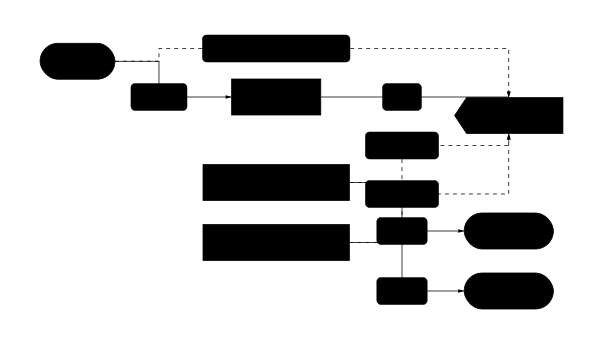
Shows the static relationships between classes in the pattern.
Pattern Variants
Fluent Builder
Each setter returns `this`, enabling method chaining like `.setA().setB().build()`. The most common variant.
Step Builder
Enforces construction order at compile time. Each method returns a different interface, ensuring required fields are set before optional ones.
Director
Encapsulates common construction sequences. Instead of repeating the same builder calls, the Director provides preset recipes like `makeWarrior()` or `makeMage()`.
Immutable Builder
Each setter returns a new builder instance instead of mutating. Thread-safe and prevents accidental reuse bugs, but creates more objects.
Implementations
Copy-paste examples in Python, JavaScript, and GDScript. Each includes validation and Director patterns.
class HttpRequest:
    """The product being built."""
    def __init__(self):
        self.method: str = "GET"
        self.url: str = ""
        self.headers: dict[str, str] = {}
        self.body: str | None = None
        self.timeout: int = 30000

class HttpRequestBuilder:
    """Fluent builder with validation."""
    def __init__(self):
        self._request = HttpRequest()

    def get(self, url: str) -> "HttpRequestBuilder":
        self._request.method = "GET"
        self._request.url = url
        return self

    def post(self, url: str) -> "HttpRequestBuilder":
        self._request.method = "POST"
        self._request.url = url
        return self

    def header(self, key: str, value: str) -> "HttpRequestBuilder":
        self._request.headers[key] = value
        return self

    def json(self, data: dict) -> "HttpRequestBuilder":
        import json
        self._request.body = json.dumps(data)
        self._request.headers["Content-Type"] = "application/json"
        return self

    def timeout(self, ms: int) -> "HttpRequestBuilder":
        self._request.timeout = ms
        return self

    def build(self) -> HttpRequest:
        # Validate before returning
        if not self._request.url:
            raise ValueError("URL is required")
        # Return product and reset for safe reuse
        result = self._request
        self._request = HttpRequest()
        return result

# Director: encapsulates common construction sequences
class RequestDirector:
    @staticmethod
    def json_api_request(url: str, data: dict) -> HttpRequest:
        return (HttpRequestBuilder()
            .post(url)
            .header("Accept", "application/json")
            .json(data)
            .timeout(10000)
            .build())

    @staticmethod
    def auth_request(url: str, token: str) -> HttpRequest:
        return (HttpRequestBuilder()
            .get(url)
            .header("Authorization", f"Bearer {token}")
            .build())

# Usage
request = (HttpRequestBuilder()
    .post("https://api.example.com/users")
    .header("Authorization", "Bearer token123")
    .json({"name": "John", "email": "john@example.com"})
    .timeout(5000)
    .build())

# Or use Director presets
api_request = RequestDirector.json_api_request(
    "https://api.example.com/data",
    {"query": "test"}
)
Python fluent builder with method chaining, validation in build(), reset-on-build for safe reuse, and a Director that provides preset configurations.
class SqlQuery {
  constructor() {
    this.table = "";
    this.columns = ["*"];
    this.whereClauses = [];
    this.joins = [];
    this.orderBy = null;
    this.limit = null;
    this.offset = null;
  }

  toString() {
    let sql = `SELECT ${this.columns.join(", ")} FROM ${this.table}`;
    if (this.joins.length) sql += " " + this.joins.join(" ");
    if (this.whereClauses.length) sql += ` WHERE ${this.whereClauses.join(" AND ")}`;
    if (this.orderBy) sql += ` ORDER BY ${this.orderBy}`;
    if (this.limit) sql += ` LIMIT ${this.limit}`;
    if (this.offset) sql += ` OFFSET ${this.offset}`;
    return sql;
  }
}

class SqlQueryBuilder {
  constructor() {
    this.query = new SqlQuery();
  }

  select(...columns) {
    this.query.columns = columns.length ? columns : ["*"];
    return this;
  }

  from(table) {
    this.query.table = table;
    return this;
  }

  where(condition) {
    this.query.whereClauses.push(condition);
    return this;
  }

  join(table, condition) {
    this.query.joins.push(`JOIN ${table} ON ${condition}`);
    return this;
  }

  leftJoin(table, condition) {
    this.query.joins.push(`LEFT JOIN ${table} ON ${condition}`);
    return this;
  }

  orderBy(column, direction = "ASC") {
    this.query.orderBy = `${column} ${direction}`;
    return this;
  }

  limit(count) {
    this.query.limit = count;
    return this;
  }

  offset(count) {
    this.query.offset = count;
    return this;
  }

  build() {
    if (!this.query.table) {
      throw new Error("FROM clause is required");
    }
    // Return and reset for safe reuse
    const result = this.query;
    this.query = new SqlQuery();
    return result;
  }
}

// Director with common query patterns
class QueryDirector {
  static paginatedList(table, page, pageSize) {
    return new SqlQueryBuilder()
      .select("*")
      .from(table)
      .orderBy("created_at", "DESC")
      .limit(pageSize)
      .offset((page - 1) * pageSize)
      .build();
  }

  static withRelation(table, relatedTable, foreignKey) {
    return new SqlQueryBuilder()
      .select(`${table}.*`, `${relatedTable}.name as ${relatedTable}_name`)
      .from(table)
      .leftJoin(relatedTable, `${table}.${foreignKey} = ${relatedTable}.id`)
      .build();
  }
}

// Usage - fluent interface
const query = new SqlQueryBuilder()
  .select("users.name", "orders.total")
  .from("users")
  .join("orders", "users.id = orders.user_id")
  .where("orders.total > 100")
  .where("users.active = true")
  .orderBy("orders.total", "DESC")
  .limit(10)
  .build();

console.log(query.toString());
// SELECT users.name, orders.total FROM users JOIN orders ON users.id = orders.user_id WHERE orders.total > 100 AND users.active = true ORDER BY orders.total DESC LIMIT 10
JavaScript SQL query builder demonstrating method chaining, multiple where clauses, joins, and a Director with common query patterns.
# character.gd - The product
class_name GameCharacter
extends RefCounted

var char_name: String = ""
var health: int = 100
var mana: int = 50
var strength: int = 10
var defense: int = 10
var weapon: String = ""
var armor: String = ""

func _to_string() -> String:
    return "%s (HP:%d MP:%d STR:%d DEF:%d) [%s, %s]" % [
        char_name, health, mana, strength, defense, weapon, armor
    ]

# character_builder.gd - Fluent builder
class_name CharacterBuilder
extends RefCounted

var _character: GameCharacter

func _init() -> void:
    _reset()

func _reset() -> void:
    _character = GameCharacter.new()

func named(character_name: String) -> CharacterBuilder:
    _character.char_name = character_name
    return self

func with_health(hp: int) -> CharacterBuilder:
    _character.health = hp
    return self

func with_mana(mp: int) -> CharacterBuilder:
    _character.mana = mp
    return self

func with_strength(str_val: int) -> CharacterBuilder:
    _character.strength = str_val
    return self

func with_defense(def_val: int) -> CharacterBuilder:
    _character.defense = def_val
    return self

func wielding(weapon_name: String) -> CharacterBuilder:
    _character.weapon = weapon_name
    return self

func wearing(armor_name: String) -> CharacterBuilder:
    _character.armor = armor_name
    return self

func build() -> GameCharacter:
    if _character.char_name.is_empty():
        push_error("Character must have a name")
        return null
    var result = _character
    _reset()  # Safe reuse
    return result

# character_director.gd - Director with presets
class_name CharacterDirector
extends RefCounted

static func create_warrior(builder: CharacterBuilder, name: String) -> GameCharacter:
    return builder \
        .named(name) \
        .with_health(150) \
        .with_mana(20) \
        .with_strength(20) \
        .with_defense(15) \
        .wielding("Longsword") \
        .wearing("Plate Armor") \
        .build()

static func create_mage(builder: CharacterBuilder, name: String) -> GameCharacter:
    return builder \
        .named(name) \
        .with_health(80) \
        .with_mana(150) \
        .with_strength(5) \
        .with_defense(5) \
        .wielding("Staff") \
        .wearing("Robes") \
        .build()

static func create_rogue(builder: CharacterBuilder, name: String) -> GameCharacter:
    return builder \
        .named(name) \
        .with_health(100) \
        .with_mana(60) \
        .with_strength(12) \
        .with_defense(8) \
        .wielding("Daggers") \
        .wearing("Leather Armor") \
        .build()

# Usage
func _ready() -> void:
    var builder = CharacterBuilder.new()

    # Direct builder usage
    var hero = builder \
        .named("Aragorn") \
        .with_health(120) \
        .with_strength(18) \
        .wielding("Anduril") \
        .wearing("Ranger Cloak") \
        .build()

    # Director usage - same builder, different presets
    var gandalf = CharacterDirector.create_mage(builder, "Gandalf")
    var gimli = CharacterDirector.create_warrior(builder, "Gimli")
    var legolas = CharacterDirector.create_rogue(builder, "Legolas")
GDScript builder with reset-on-build for safe reuse and a Director class that provides preset character configurations (warrior, mage, rogue).
Builder Pattern vs Factory
| Aspect | Builder Pattern | Factory |
|---|---|---|
| Construction | Step-by-step, multiple method calls | Single method call |
| Flexibility | Fine-grained control over each part | Predefined configurations |
| Complexity | More code, more classes | Simpler, single method |
| Best for | Complex objects with many options | Simple objects, hiding implementation |
| Method chaining | Yes (fluent interface) | No |
Real-World Examples
- HTTP request builders: method, URL, headers, body, timeout configured incrementally
- SQL query builders: SELECT → JOIN → WHERE → ORDER BY chained together
- Test fixture builders: creating complex test data with sensible defaults and overrides
- URL builders: scheme, host, path segments, query parameters assembled piece by piece
- Document generators: HTML, PDF, or XML built element by element
Common Mistakes
Reusing a mutable builder without reset
const builder = new UserBuilder().name("Alice");
const user1 = builder.build();
const user2 = builder.name("Bob").build();
// user2 might have Alice's other settings!
Fix: Reset the builder in build(), or create a new builder for each object.
Forgetting to call build()
const request = new RequestBuilder()
    .get("/api/users")
    .header("Auth", token);
// request is a Builder, not a Request!
fetch(request); // Error or unexpected behavior
Fix: Always end builder chains with .build(). TypeScript can enforce this with return types.
Validating too late
builder.setEmail("not-an-email").build();
// Error thrown at build() time, far from the mistake
Fix: Validate eagerly in setters for immediate feedback, or clearly document that build() validates.
Making the Product mutable after build
const user = builder.build();
user.name = "Modified"; // Bypasses builder validation!
Fix: Make Product fields readonly/private, or return a frozen/immutable object from build().
When to Use Builder Pattern
- When object construction requires many steps or has many optional parameters
- When you want to create different representations of the same object type
- When object creation logic should be separate from the object itself
- When you need to enforce construction order or validate before completion
- When you want readable, self-documenting object construction code
Pitfalls to Avoid
- Mutable builders: if the builder is reused without reset, it retains state from previous builds
- Missing build() call: forgetting to call build() leaves you with a builder, not a product
- Over-engineering: simple objects with few parameters do not need builders
- Incomplete objects: build() should validate that required fields are set
- Thread safety: mutable builders are not thread-safe without synchronization
Frequently Asked Questions
What is the difference between Builder and Factory?
Factory creates objects in one step and hides which class is instantiated. Builder constructs objects step-by-step with fine-grained control over each part. Use Factory for simple creation with few options, Builder when you need to configure many optional parameters.
When should I use a Director?
Use a Director when you have common construction sequences that you repeat often. Instead of duplicating builder chains like .setA().setB().setC() everywhere, the Director encapsulates these as preset methods like makeStandardConfig() or makeTestConfig().
Should I make my builder immutable?
Immutable builders (where each method returns a new builder) are thread-safe and prevent accidental reuse issues. Mutable builders are simpler but require care. For most applications, a mutable builder with reset-on-build is the pragmatic choice.
How do I handle required vs optional parameters?
Put required parameters in the builder constructor or as the first chained method. Validate in build() that all required fields are set. Some languages support Step Builders that enforce required fields at compile time.
Can Builder and Factory be combined?
Yes. A Factory can return a pre-configured Builder, or a Builder can use Factories internally to create complex sub-components. For example: CarBuilder might use a EngineFactory to create the engine component.