Factory Pattern
The Factory pattern encapsulates object creation so clients request objects without knowing which concrete class is instantiated. "Give me a payment processor" returns Stripe, PayPal, or Crypto based on configuration. The caller does not care which.
Quick Reference
Use When
- You need to create objects without exposing creation logic to clients
- The exact class to instantiate is determined at runtime (config, user input, environment)
- You want to add new product types without changing existing code (Open/Closed Principle)
- Object creation involves complex logic that does not belong in constructors
Avoid When
- You only have 1-2 concrete classes that will never change (just use new)
- The "factory" would just wrap a single constructor with no additional logic
- You are creating simple value objects with no polymorphism needed
- A dependency injection container already handles your object creation
The Analogy
A restaurant kitchen: you order "the pasta special" without knowing the recipe, ingredients, or cooking technique. The kitchen (factory) handles all the complexity. Different chefs (concrete factories) might make it differently, but you always get pasta that meets the restaurant's standards.
The Problem
Creating objects directly with constructors couples your code to specific classes. When requirements change—new payment provider, new export format, new enemy type—you must modify code everywhere objects are created. This violates the Open/Closed Principle and scatters creation logic throughout your codebase.
The Solution
Encapsulate object creation in a factory that returns instances based on parameters or configuration. Client code works with interfaces/base classes, never concrete implementations. Adding a new type means adding a new class and updating the factory—existing client code remains unchanged.
Structure
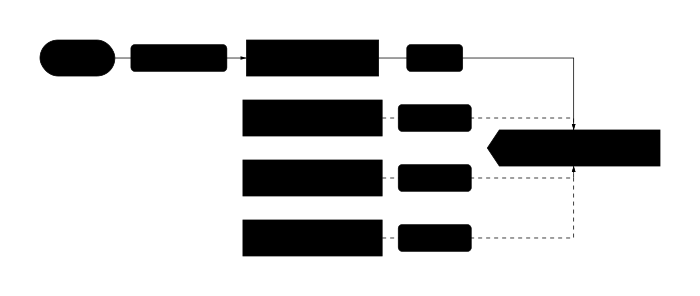
Shows the static relationships between classes in the pattern.
Pattern Variants
Simple Factory
A function or static method that returns different types based on a parameter. Not a GoF pattern, but the most commonly searched "factory" concept. Best when: you want to centralize selection logic in one place.
Factory Method
Defines an interface for creation but lets subclasses decide which class to instantiate. Uses inheritance—the creator class has an abstract method that concrete creators override. Best when: subclasses should control which product gets created.
Abstract Factory
Creates families of related objects without specifying concrete classes. Ensures products from the same family work together (Windows buttons + Windows checkboxes, not Windows buttons + Mac checkboxes). Best when: you need matching product suites.
Implementations
Copy-paste examples in Python, JavaScript, and GDScript. Each includes validation and Director patterns.
from abc import ABC, abstractmethod
from enum import Enum
from typing import Protocol

# ===== Simple Factory with Enum (type-safe) =====

class PaymentType(Enum):
    STRIPE = "stripe"
    PAYPAL = "paypal"
    CRYPTO = "crypto"

class PaymentProcessor(Protocol):
    def charge(self, amount: float) -> str: ...

class StripeProcessor:
    def charge(self, amount: float) -> str:
        return f"Charged ${amount:.2f} via Stripe"

class PayPalProcessor:
    def charge(self, amount: float) -> str:
        return f"Charged ${amount:.2f} via PayPal"

class CryptoProcessor:
    def charge(self, amount: float) -> str:
        return f"Charged ${amount:.2f} via Crypto"

class PaymentFactory:
    """Simple Factory: centralizes creation logic."""
    _processors: dict[PaymentType, type[PaymentProcessor]] = {
        PaymentType.STRIPE: StripeProcessor,
        PaymentType.PAYPAL: PayPalProcessor,
        PaymentType.CRYPTO: CryptoProcessor,
    }

    @classmethod
    def create(cls, payment_type: PaymentType) -> PaymentProcessor:
        processor_class = cls._processors.get(payment_type)
        if not processor_class:
            raise ValueError(f"Unknown payment type: {payment_type}")
        return processor_class()

    @classmethod
    def register(cls, payment_type: PaymentType, processor: type[PaymentProcessor]) -> None:
        """Plugin-style registration - add types without editing factory."""
        cls._processors[payment_type] = processor

# Usage - type-safe, no string typos
processor = PaymentFactory.create(PaymentType.STRIPE)
print(processor.charge(99.99))  # "Charged $99.99 via Stripe"

# ===== Factory Method (subclass decides) =====

class Notification(ABC):
    @abstractmethod
    def send(self, message: str) -> None: ...

class EmailNotification(Notification):
    def send(self, message: str) -> None:
        print(f"Email: {message}")

class SMSNotification(Notification):
    def send(self, message: str) -> None:
        print(f"SMS: {message}")

class NotificationService(ABC):
    """Creator with factory method."""
    @abstractmethod
    def create_notification(self) -> Notification:
        """Factory method - subclasses decide which notification."""
        pass

    def notify(self, message: str) -> None:
        """Template method using the factory method."""
        notification = self.create_notification()
        notification.send(message)

class EmailService(NotificationService):
    def create_notification(self) -> Notification:
        return EmailNotification()

class SMSService(NotificationService):
    def create_notification(self) -> Notification:
        return SMSNotification()

# Usage - client works with abstract NotificationService
service: NotificationService = EmailService()
service.notify("Your order shipped!")
Python examples showing (1) Simple Factory with Enum for type safety and plugin-style registration, and (2) Factory Method where subclasses control instantiation. Uses Protocol for structural typing.
// ===== Simple Factory with Registry Pattern =====

// Product interface (via JSDoc for vanilla JS)
/** @typedef {{ export: (data: any) => string }} Exporter */

class JSONExporter {
  export(data) {
    return JSON.stringify(data, null, 2);
  }
}

class CSVExporter {
  export(data) {
    if (!Array.isArray(data)) return "";
    const headers = Object.keys(data[0] || {});
    const rows = data.map(row => headers.map(h => row[h]).join(","));
    return [headers.join(","), ...rows].join("\n");
  }
}

class XMLExporter {
  export(data) {
    const toXML = (obj, name = "root") => {
      if (typeof obj !== "object") return `<${name}>${obj}</${name}>`;
      const children = Object.entries(obj)
        .map(([k, v]) => toXML(v, k))
        .join("");
      return `<${name}>${children}</${name}>`;
    };
    return toXML(data);
  }
}

// Factory with registration (Open/Closed Principle)
class ExporterFactory {
  static #exporters = new Map([
    ["json", JSONExporter],
    ["csv", CSVExporter],
    ["xml", XMLExporter],
  ]);

  static create(format) {
    const ExporterClass = this.#exporters.get(format.toLowerCase());
    if (!ExporterClass) {
      throw new Error(`Unknown format: ${format}. Available: ${[...this.#exporters.keys()].join(", ")}`);
    }
    return new ExporterClass();
  }

  // Plugin registration - add formats without editing factory
  static register(format, ExporterClass) {
    this.#exporters.set(format.toLowerCase(), ExporterClass);
  }
}

// Usage
const data = [
  { name: "Alice", age: 30 },
  { name: "Bob", age: 25 },
];

const jsonExporter = ExporterFactory.create("json");
console.log(jsonExporter.export(data));

const csvExporter = ExporterFactory.create("csv");
console.log(csvExporter.export(data));
// name,age
// Alice,30
// Bob,25

// ===== Abstract Factory: UI Component Families =====

// Abstract products
class Button {
  render() { throw new Error("render() must be implemented"); }
}
class Checkbox {
  render() { throw new Error("render() must be implemented"); }
}

// Windows family
class WindowsButton extends Button {
  render() { return "[====Windows Button====]"; }
}
class WindowsCheckbox extends Checkbox {
  render() { return "[X] Windows Checkbox"; }
}

// Mac family
class MacButton extends Button {
  render() { return "(  Mac Button  )"; }
}
class MacCheckbox extends Checkbox {
  render() { return "◉ Mac Checkbox"; }
}

// Abstract Factory
class UIFactory {
  createButton() { throw new Error("createButton() must be implemented"); }
  createCheckbox() { throw new Error("createCheckbox() must be implemented"); }
}

class WindowsUIFactory extends UIFactory {
  createButton() { return new WindowsButton(); }
  createCheckbox() { return new WindowsCheckbox(); }
}

class MacUIFactory extends UIFactory {
  createButton() { return new MacButton(); }
  createCheckbox() { return new MacCheckbox(); }
}

// Client code - works with any factory
function renderForm(factory) {
  const button = factory.createButton();
  const checkbox = factory.createCheckbox();
  console.log(button.render());
  console.log(checkbox.render());
}

// Guaranteed matching components!
const factory = navigator.platform.includes("Mac")
  ? new MacUIFactory()
  : new WindowsUIFactory();

renderForm(factory);
JavaScript examples showing (1) Simple Factory with Map-based registry for easy extension, and (2) Abstract Factory ensuring UI components from the same family match (Windows button + Windows checkbox, never mixed).
# ===== Simple Factory with PackedScene (Godot-idiomatic) =====

# enemy_factory.gd - Uses preloaded scenes, not .new()
class_name EnemyFactory
extends RefCounted

# Preload scenes for instant spawning
const SCENES: Dictionary = {
    "goblin": preload("res://enemies/goblin.tscn"),
    "orc": preload("res://enemies/orc.tscn"),
    "dragon": preload("res://enemies/dragon.tscn"),
}

static func create(enemy_type: String, config: Dictionary = {}) -> Node2D:
    var scene: PackedScene = SCENES.get(enemy_type.to_lower())
    if not scene:
        push_error("Unknown enemy type: %s" % enemy_type)
        return null

    var enemy: Node2D = scene.instantiate()

    # Configure after instantiation (Godot scenes have no constructor params)
    if config.has("position"):
        enemy.position = config["position"]
    if config.has("health_multiplier") and enemy.has_method("set_health"):
        enemy.set_health(enemy.health * config["health_multiplier"])

    return enemy

# ===== Usage in spawner.gd =====
extends Node2D

func spawn_wave(wave_data: Array[Dictionary]) -> void:
    for spawn in wave_data:
        var enemy := EnemyFactory.create(
            spawn["type"],
            {"position": spawn["position"], "health_multiplier": spawn.get("difficulty", 1.0)}
        )
        if enemy:
            add_child(enemy)

func _ready() -> void:
    # Spawn a mixed wave
    spawn_wave([
        {"type": "goblin", "position": Vector2(100, 200)},
        {"type": "goblin", "position": Vector2(150, 200)},
        {"type": "orc", "position": Vector2(300, 200), "difficulty": 1.5},
        {"type": "dragon", "position": Vector2(500, 100), "difficulty": 2.0},
    ])

# ===== Factory Method: Level Generators =====

# level_generator.gd - Abstract creator
class_name LevelGenerator
extends RefCounted

# Factory method - subclasses override
func create_tilemap() -> TileMap:
    push_error("create_tilemap() must be implemented")
    return null

# Template method using the factory method
func generate_level(width: int, height: int) -> TileMap:
    var tilemap := create_tilemap()
    _populate_tiles(tilemap, width, height)
    _add_decorations(tilemap)
    return tilemap

func _populate_tiles(_tilemap: TileMap, _width: int, _height: int) -> void:
    pass  # Subclass implements

func _add_decorations(_tilemap: TileMap) -> void:
    pass  # Subclass implements

# forest_generator.gd
class_name ForestGenerator
extends LevelGenerator

func create_tilemap() -> TileMap:
    var tilemap := TileMap.new()
    tilemap.tile_set = preload("res://tilesets/forest.tres")
    return tilemap

func _populate_tiles(tilemap: TileMap, width: int, height: int) -> void:
    # Forest-specific generation with trees, grass, paths
    for x in range(width):
        for y in range(height):
            var tile_id := _pick_forest_tile(x, y)
            tilemap.set_cell(0, Vector2i(x, y), 0, Vector2i(tile_id, 0))

func _pick_forest_tile(_x: int, _y: int) -> int:
    return [0, 1, 2, 3].pick_random()  # Grass, tree, path, etc.

# dungeon_generator.gd
class_name DungeonGenerator
extends LevelGenerator

func create_tilemap() -> TileMap:
    var tilemap := TileMap.new()
    tilemap.tile_set = preload("res://tilesets/dungeon.tres")
    return tilemap

func _populate_tiles(tilemap: TileMap, width: int, height: int) -> void:
    # Dungeon-specific BSP room generation
    _generate_rooms(tilemap, width, height)
    _connect_rooms(tilemap)

func _generate_rooms(_tilemap: TileMap, _width: int, _height: int) -> void:
    pass  # BSP algorithm here

func _connect_rooms(_tilemap: TileMap) -> void:
    pass  # Corridor generation here
GDScript examples showing (1) Simple Factory using PackedScene.instantiate() (the Godot-idiomatic approach), and (2) Factory Method where LevelGenerator subclasses control which tilemap gets created. Configuration happens after instantiation since Godot scenes do not have parameterized constructors.
Factory Pattern vs Builder
| Aspect | Factory Pattern | Builder |
|---|---|---|
| Creation trigger | Parameter or configuration decides type | Step-by-step configuration decides state |
| Returns | One of several possible types | One type, many configurations |
| Complexity | Simple - one method call | Complex - many method calls |
| Use case | "Which class?" (PaymentProcessor) | "How configured?" (HttpRequest) |
| Client knowledge | Knows interface, not implementation | Knows all configuration options |
Real-World Examples
- Payment processing: create Stripe, PayPal, or Crypto processor based on user selection
- Notification dispatch: create Email, SMS, or Slack notifier based on user preferences
- Document export: create PDF, Word, or HTML renderer based on format parameter
- Cross-platform UI: create Windows, Mac, or Linux widgets that match the OS
- Game spawning: create Goblin, Orc, or Dragon based on level difficulty
- Database connections: create MySQL, PostgreSQL, or SQLite connection from config
Common Mistakes
Using strings instead of enums/constants for type selection
# BAD: Typo "stripe" vs "Stripe" causes runtime error
processor = PaymentFactory.create("stripe")  # Works
processor = PaymentFactory.create("Stripe")  # Fails at runtime!

# Also bad: no autocomplete, no refactoring support
factory.create("prduct_a")  # Typo goes unnoticed
Fix: Use enums, constants, or TypeScript literal unions. IDEs catch typos at write time, not runtime.
Factory creates objects it should receive via dependency injection
class OrderFactory:
    def create(self, type):
        # BAD: Factory creates its own dependencies
        db = DatabaseConnection()  # Hard to test!
        logger = FileLogger()      # Hard to test!
        return Order(type, db, logger)
Fix: Inject dependencies into the factory, or use a DI container. Factory creates products, not infrastructure.
Returning concrete types instead of interfaces
// BAD: Client now depends on StripeProcessor
function createProcessor(type: string): StripeProcessor | PayPalProcessor {
    // ...
}

// Client code uses Stripe-specific methods
const processor = createProcessor("stripe");
processor.stripeSpecificMethod();  // Coupling!
Fix: Return the interface/protocol type. Clients should only use methods defined in the interface.
Factory with too many responsibilities (God Factory)
class AppFactory:
    def create_user(self): ...
    def create_order(self): ...
    def create_payment(self): ...
    def create_notification(self): ...
    def create_report(self): ...
    # 50 more unrelated create methods...
Fix: Split into focused factories: UserFactory, PaymentFactory, etc. Each factory handles one product family.
When to Use Factory Pattern
- When you do not know ahead of time which concrete class to instantiate
- When you want to localize creation logic instead of scattering "new" calls
- When you want to add new types without modifying existing client code
- When object creation involves complex logic beyond a simple constructor
- When you need to return cached/pooled instances instead of always creating new ones
Pitfalls to Avoid
- Over-engineering: using Factory for 1-2 classes that will never change—just use "new"
- String-based type selection: "create('stripe')" loses type safety—use enums or constants
- Hidden dependencies: factories can obscure what classes your code actually uses
- God factory: one factory creating unrelated types—split into focused factories
- Forgetting DI: modern frameworks often replace manual factories with dependency injection
- Type explosion: creating a new class for every variation instead of parameterizing one class
Frequently Asked Questions
What is the difference between Simple Factory, Factory Method, and Abstract Factory?
Simple Factory: one class with a create() method that returns different types based on a parameter. Factory Method: an abstract class defines a create method that subclasses override—the subclass decides which type. Abstract Factory: creates families of related objects (Windows button + Windows checkbox) ensuring they match. Use Simple Factory for basic type selection, Factory Method when subclasses should control creation, Abstract Factory when you need matching product suites.
When should I use Factory instead of just calling "new"?
Use Factory when: (1) the concrete class depends on runtime data (config, user input), (2) you want to add new types without changing client code, (3) creation logic is complex, or (4) you need caching/pooling. If you only have 1-2 classes that will never change, just use "new". Factory adds unnecessary indirection in those cases.
How is Factory different from Builder?
Factory answers "which class?" while Builder answers "how configured?" Factory returns one of several possible types in a single call. Builder constructs one type through multiple configuration steps. Use Factory for PaymentProcessor (Stripe vs PayPal), Builder for HttpRequest (method, headers, body, timeout).
Can a factory return existing instances (caching/pooling)?
Yes. Factories can implement caching, pooling, or singleton behavior internally. The client still calls create() but might receive a reused instance. This is common for expensive-to-create objects like database connections or thread pools.
Should factories be static methods or instances?
Static factories are simpler and work well when the factory has no state or dependencies. Instance factories allow dependency injection (pass in a logger, config, etc.) and are easier to mock in tests. If you need to test code that uses the factory, prefer instance factories.
Do I still need Factory if I use dependency injection?
Often no. DI containers like Spring, Angular, or Python's dependency-injector handle object creation and wiring automatically. You still might use Factory for runtime type selection (user picks payment method), but infrastructure wiring is better handled by DI.
How do I add new types without modifying the factory? (Open/Closed Principle)
Use a registry pattern: the factory maintains a map of type → class, and new types register themselves. In Python: @PaymentFactory.register("crypto"). In JS: PaymentFactory.register("crypto", CryptoProcessor). The factory code never changes when adding types.